


Introduction
ProGUI is an easy-to-use Windows UI Component library that enables you to deliver professional quality user-interfaces to your desktop applications and end-users.
 ProGUI combines excellent functionality with ease of use
- Soner Boztas, developer of InstallForge
A simple intuitive API comprising of more than 100 well documented commands, transparently takes care of all the complex details. This allows you to quickly incorporate rich, customizable UI Components into your applications, letting you concentrate on the core engine!
ProGUI is my no. 1 for PureBasic, it's simply working the way that I want and is really stable!
- Jens Lühmann, developer of Airplay Control
Very good lib ! - Frédéric Laboureur, main coder of PureBasic

Very impressive. 8) - Stephen Rodriguez, principal developer of nxSoftware
Features
ProGUI can be used with any programming language that supports external DLL calls. Currently PureBasic is the only language that is officially supported
- Easy to use and simple API with commands such as "MenuTitleEx(title$)"
- Easy Installation.
- Extremely fast rendering with internal caching and intelligent double-buffering.
- One of the most accurate replicas of Office 2007, Office 2003 and Whidbey styles that exist as well as improvements over Microsoft's engine such as flicker free menu tracking and superior menu scrolling!
- Native 32 bit and 64 bit versions included!
- Windows 10, 8, 7, Vista and XP compatible.
- Thread safe.
- Unicode support.
- Full Source Code included in ProGUI Gold and Platinum editions.
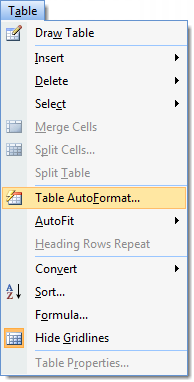
- Extended menus! Have cool "floating" menus contained in a rebar/container with ease! Full support for 32bit alpha masked icons/images of any size. Support for different images for normal, hot and disabled states as well as escape-code effect text. Includes extended system menu and popup menu. Different styles of menus available for example: Office 2007 style menus, Office 2003 style menus , Office XP/Whidbey style menus, IE Explorer style, Classic/Mozilla Firefox Style and other styles. Automatic wrapping of menu titles when window resized too small! Automatic detection of system font change and resized accordingly. Full keyboard navigation and hot-key support. When menu goes off screen automatically fits inside screen.
- Rebars! (IE Explorer style container control), multiple rebars on multiple windows!
- Extended rebar functionality including new Office 2007 and Office 2003 styles, auto vertical resizing and user vertical resizing.
- Extended toolbars, full 32bit alpha masked icon/image support of any size for toolbar buttons with separate images for normal, hot and disabled states. Button label text can also contain escape-code effect text. Other controls can also be placed in a toolbar. As many toolbars as you want on multiple windows!
- New Office 2007/Office 2003 Toolstrip style toolbars!
- Office 2007/Office 2003 styled ComboBoxes when placed in a toolbar or rebar.
- Support for drop down buttons in toolbars, just pass a popup menu or extended popup menu to the command!
- Theme adaptive custom user defined colours for User Interface styles.
- No compulsory window callbacks!
- And much more! Please see documentation for details ...
Copyright © 2007 - 2024 #.Design